¡Hola!For your one-on-one language lessons

Show up ready for every Spanish lesson.

Snap a photo of your notes. Lessonstick organizes them, turns them into exercises made for you, and tells you when you’re ready for your next lesson.

See how it works
You’re learning
Are you a teacher? See where your students get stuck
Monday’s lesson

Complete the sentence

Ayer   al gimnasio.

Tap the right answer.

With any teacher, wherever you take your lessons

  • Preply
  • italki
  • Zoom
  • Google Meet
  • In person
  • Your notebook
  • Your teacher’s recap
  • Your messy notes

Three moments, one app.

After the lesson, you organize. Before the next one, you prep. During it, everything’s right in front of you.

1After the lesson

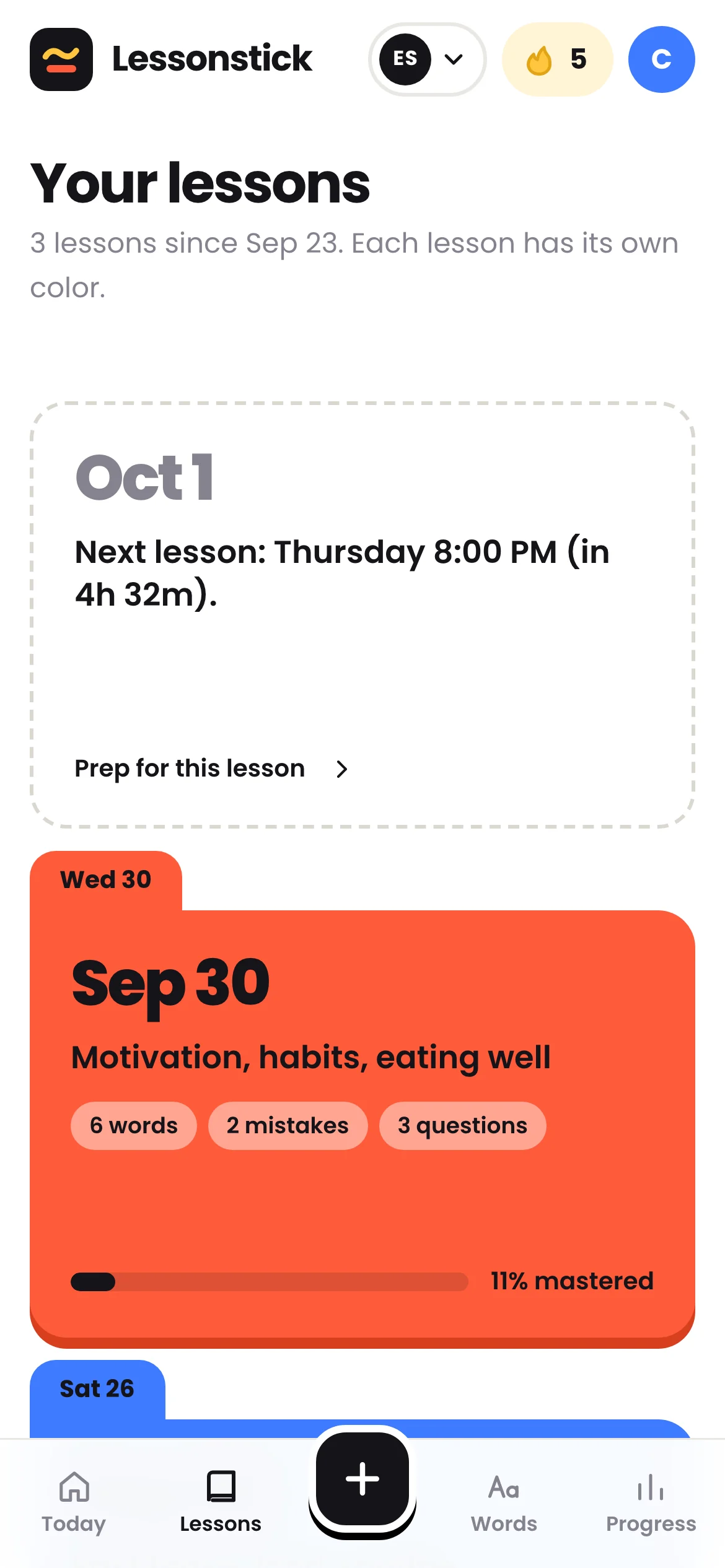
Snap a photo of your notebook.

Notebook photos, messy notes or your teacher’s recap: AI reads it all, even your handwriting, and sorts every line. It adds examples, common traps and model answers. You review, you fix, it’s saved.

  • Up to 6 photos per lesson
  • Vocabulary, phrases, grammar, mistakes and likely questions
  • The date of your next lesson, so you can prep what’s next
2Before the lesson

A mission to get you ready.

About twenty exercises drawn from your lessons, roughly 15 minutes. Every answer gets checked: hit 80% and you’re ready. If not, you redo the mission, and it changes every time.

  • What you miss comes back the next day
  • The better you know a word, the tougher the exercise
  • A countdown to your lesson

3During the lesson

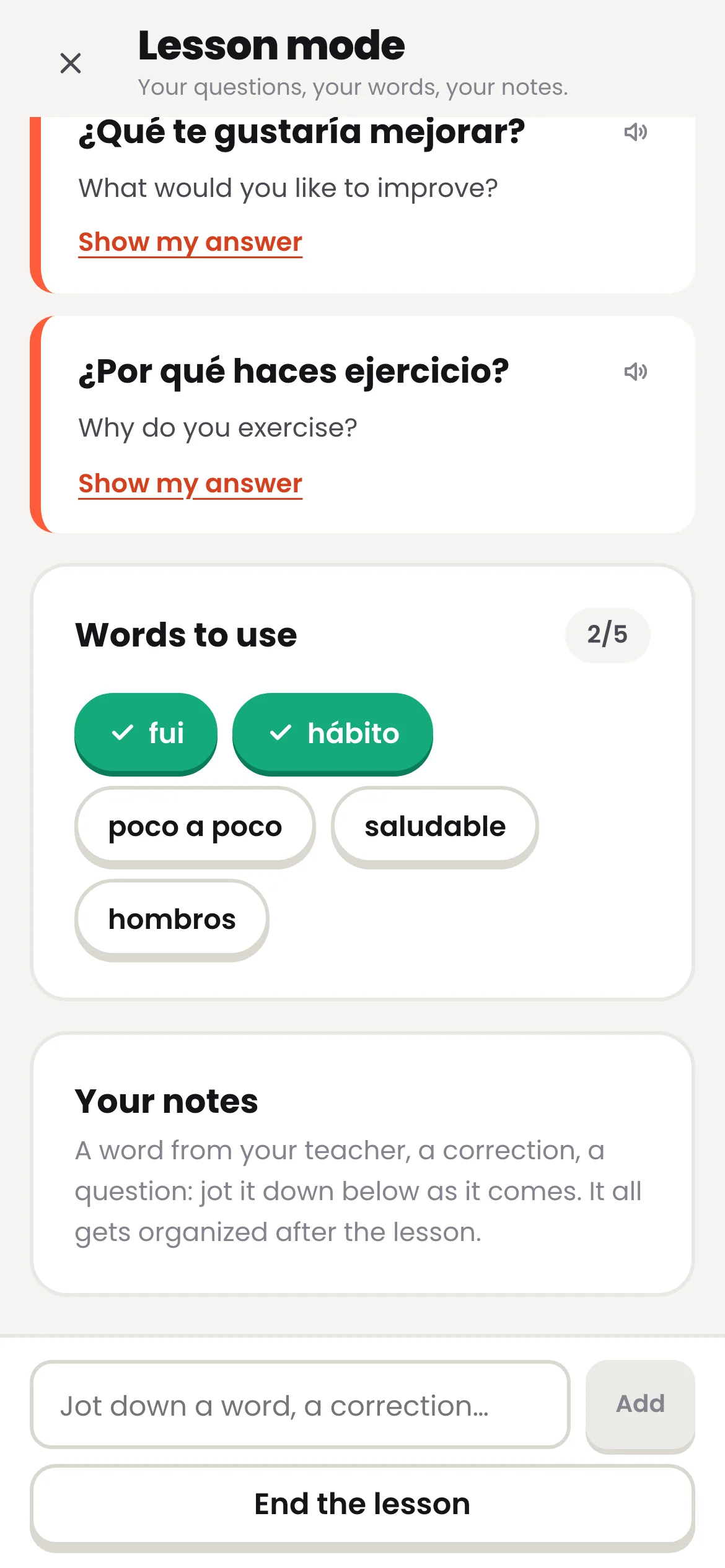
Lesson mode, right next to your laptop.

During the call, your phone shows the questions your teacher is likely to ask, with a translation and a model answer, plus the words to work into the conversation. New word? Jot it down in two seconds.

  • Your screen stays on
  • Check off words as you use them
  • Your notes are waiting the next time you add a lesson

No notes yet?

Prep for your next lesson, even without notes.

Share your level and the topics your teacher has planned. AI preps the vocabulary, phrases, a grammar structure and likely questions, with model answers. Your mission is ready right away.

Exercises built from your lessons, not a textbook.

Every word, every mistake and every question from your teacher becomes an exercise. You actually answer, it gets checked, and the format changes every time.

Quick choice

Both directions. Three answers, only one is right.

Translate

Type it, no hints. Accents count.

Fill in the blank

The right word, in a real sentence.

Spot the mistake

Your own mistakes, for you to catch.

Put it in order

Build the sentence word by word. Only the wrong words turn red.

Likely question

Understand the question, then answer out loud.

No flashcards to flip: you answer, and “I don’t know” counts as a mistake. What you miss comes back the next day, in a different form.

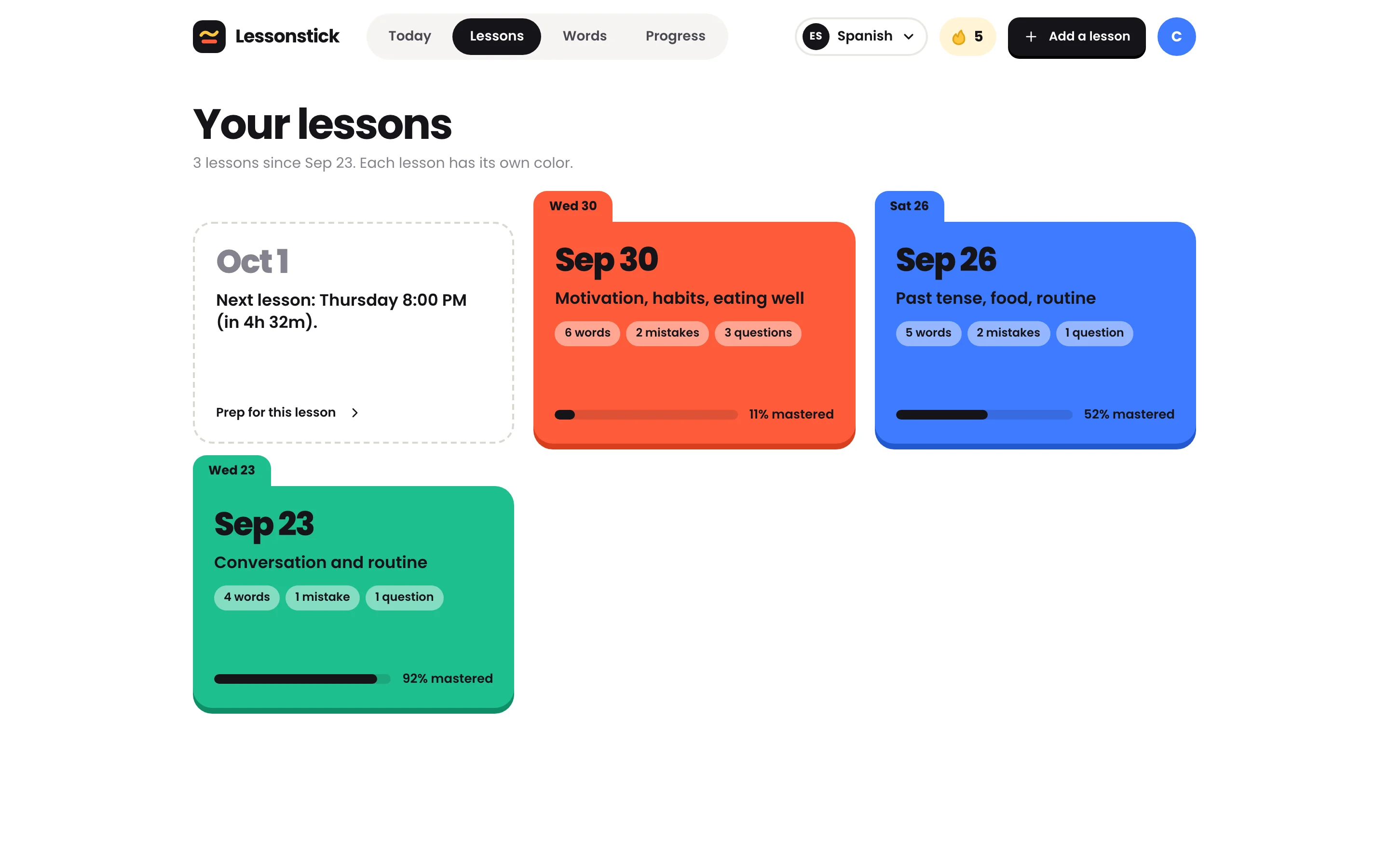
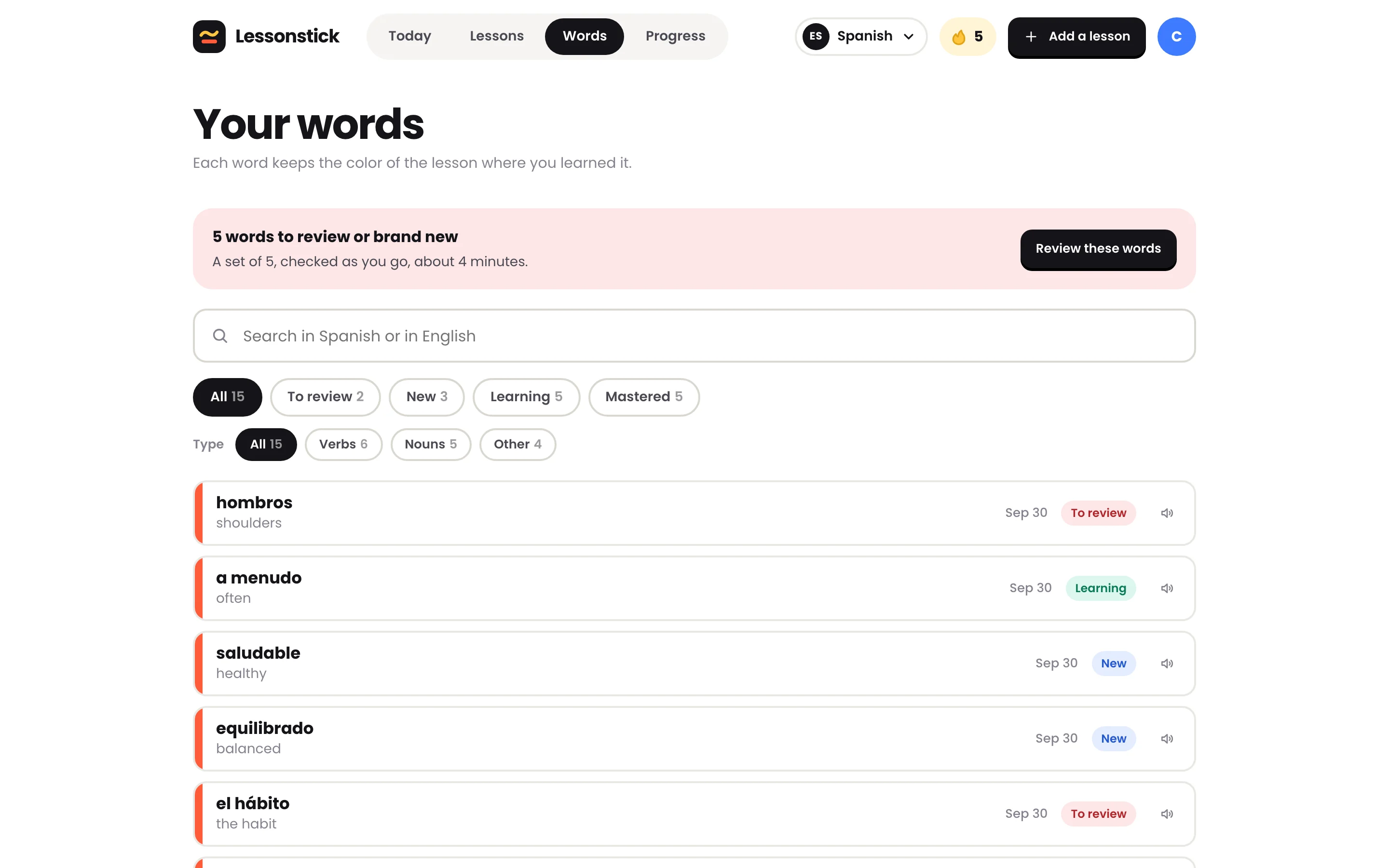
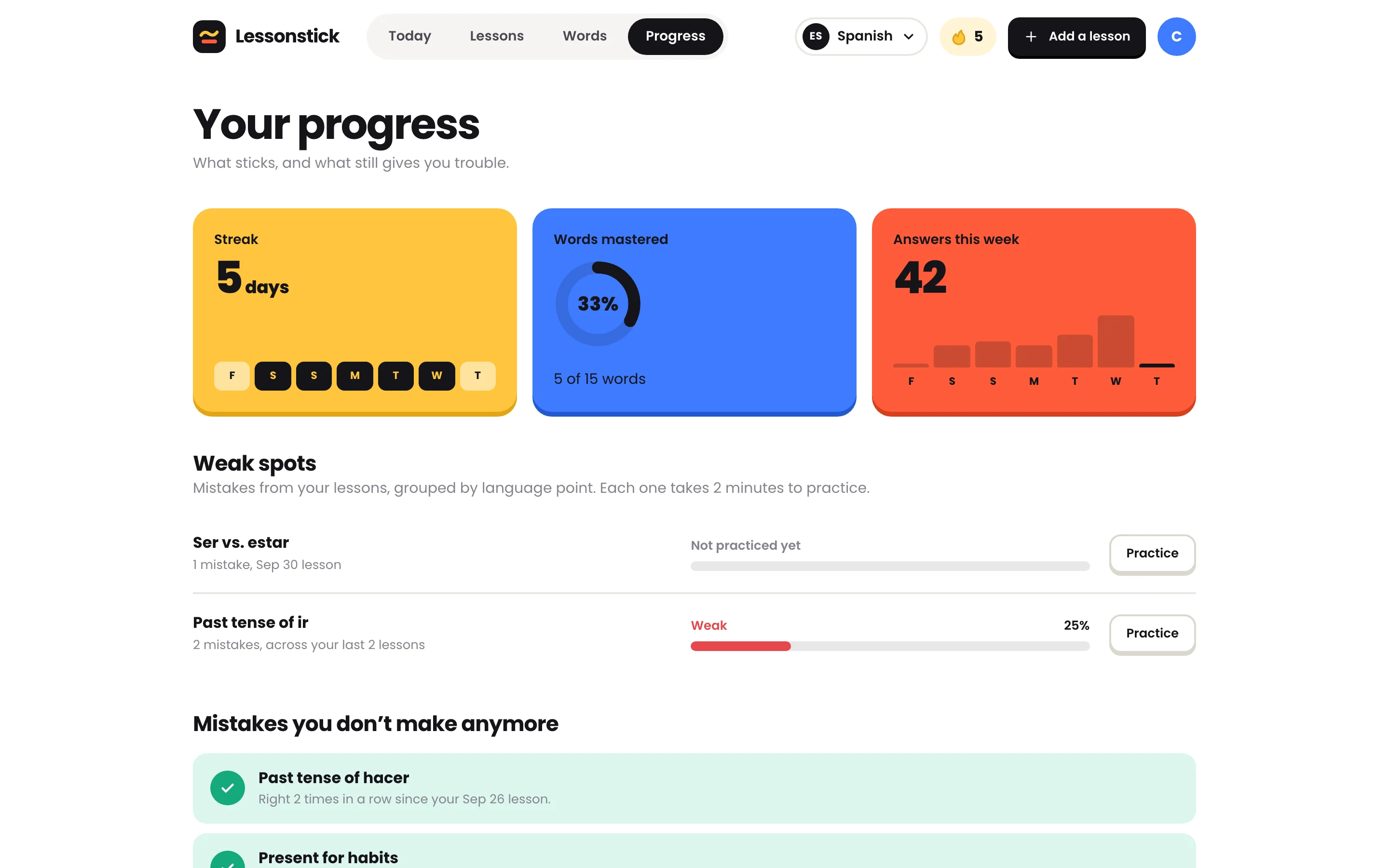
All your learning, in one place.

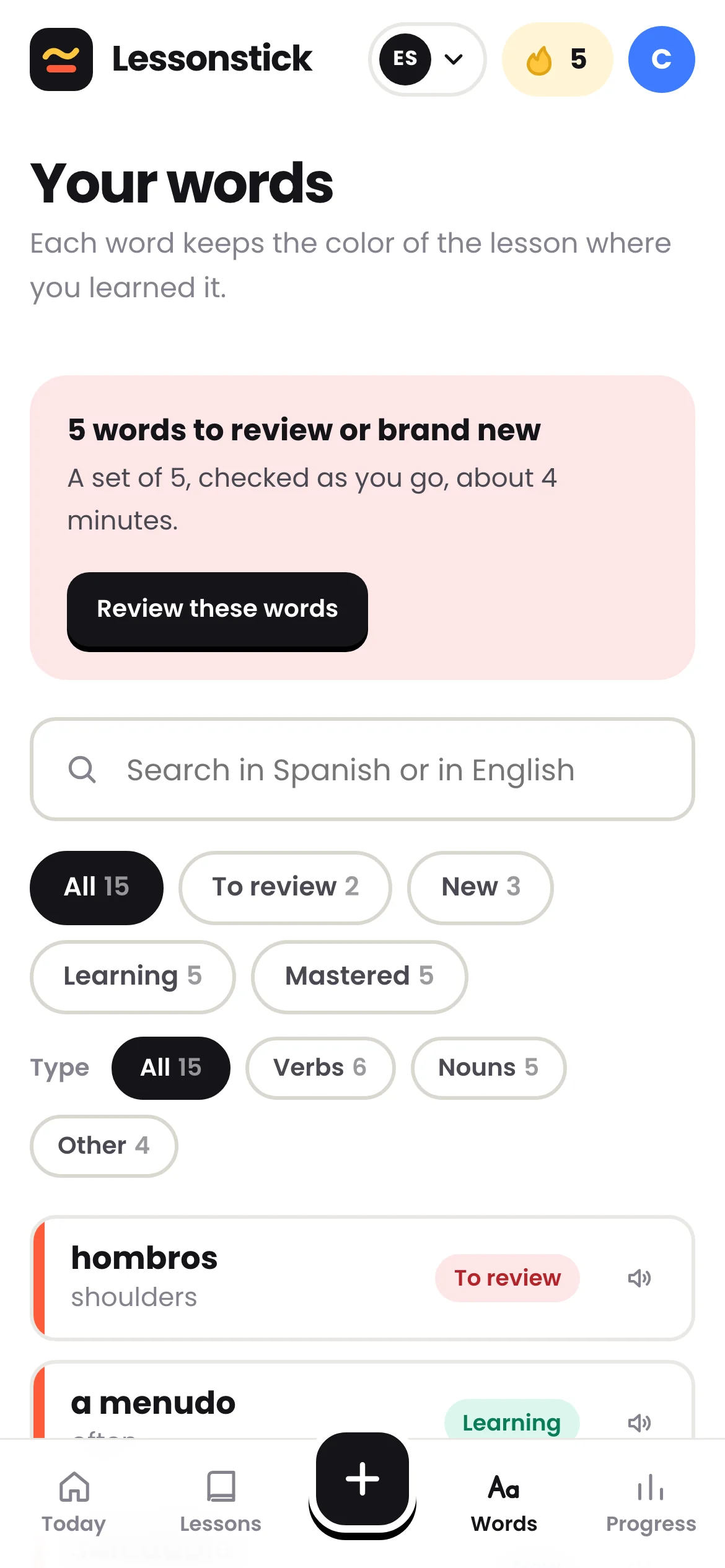
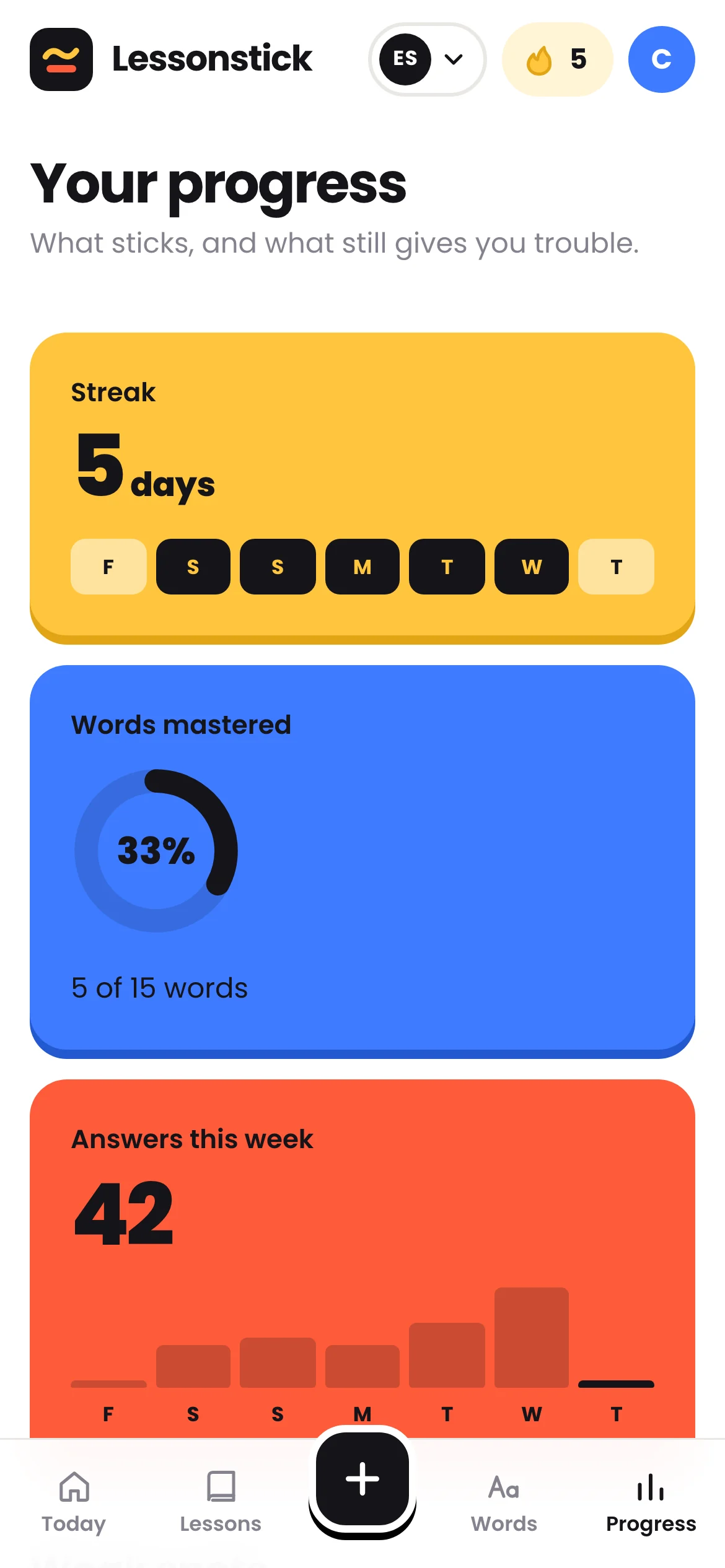
On your phone or your computer: your lessons, your words, your progress, and what’s left to do before your next lesson.

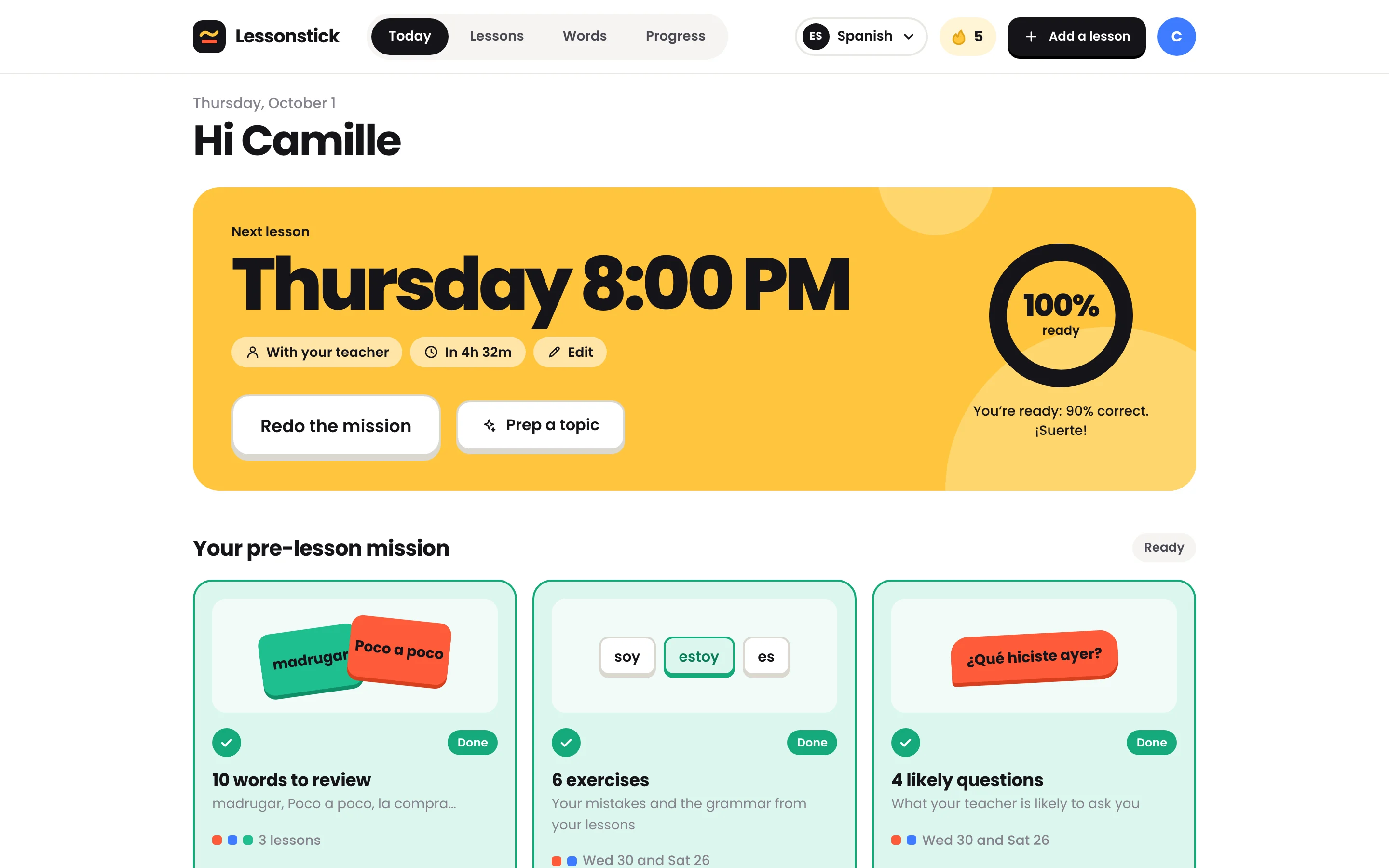
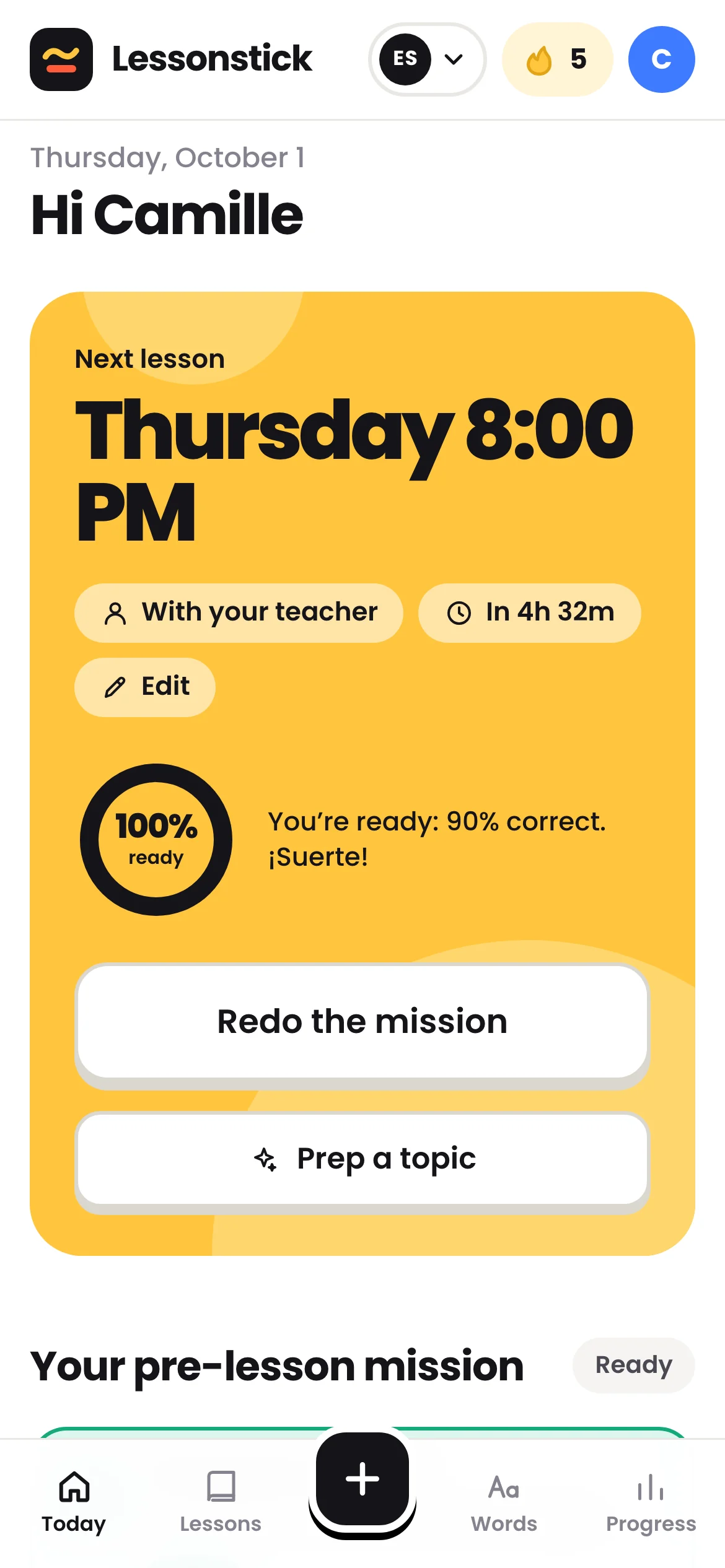
Your next lesson, front and center

The countdown, your “ready” meter and today’s mission, in three steps.

The Lessonstick home screen: the next lesson, the meter at 100% ready and the mission done, with sample lessons in Spanish.
The Lessonstick home screen: the next lesson, the meter at 100% ready and the mission done, with sample lessons in Spanish, on a phone.

With your teacher

Your teacher can follow your progress.

If they want to, and for free. Before your lesson, they see your mission, your recurring mistakes and the words that won’t stick, so they can plan the lesson around what’s holding you back.

  • You invite them from your profile, and you can remove them anytime
  • Only your lessons in their language, never the notes you take during the lesson
  • Free for your teacher, nothing to install
Are you a teacher? Check out your teacher space

Your questions.

And if yours isn’t here, the easiest way to find out is to try it with the sample lessons.

Do I need notes to get started?

No. Share your level and the topics of your next lesson: AI preps the vocabulary, phrases and likely questions. You’ll add your real notes after the lesson.

My notes are handwritten. Will that work?

Yes. Snap photos of your notebook, up to 6 per lesson: AI reads your handwriting and sorts everything. You review before saving, and fix anything that’s off.

Does it work with Preply, italki or an in-person teacher?

Yes, with any teacher. Lessonstick starts from your notes, not the platform: a photo of your notebook, a recap from your teacher, the call’s chat or quick jotted notes.

Which languages?

Spanish, French, Italian, German, Portuguese and English. Translations and explanations are in English; if you’re learning English, you get definitions in simple English instead.

Phone or computer?

Both: Lessonstick runs in your browser. Lesson mode is designed for your phone, propped next to your computer during the call.

How much time does it take?

About 15 minutes before each lesson for your mission. Do it in one go or a few sittings: you’ll pick up right where you left off.

What if I get it wrong?

That’s the idea. What you miss comes back the next day, in a different form. Below 80% correct, you redo the mission: it brings back your mistakes with new exercises.

Stop losing your notes between lessons.

Add your last lesson, or prep for the next one. Your first mission is waiting.